
The DropHub catalog is the source of truth: you create or import a product once, with photos, price, variants and stock, and send it from there to your connected stores and marketplaces.
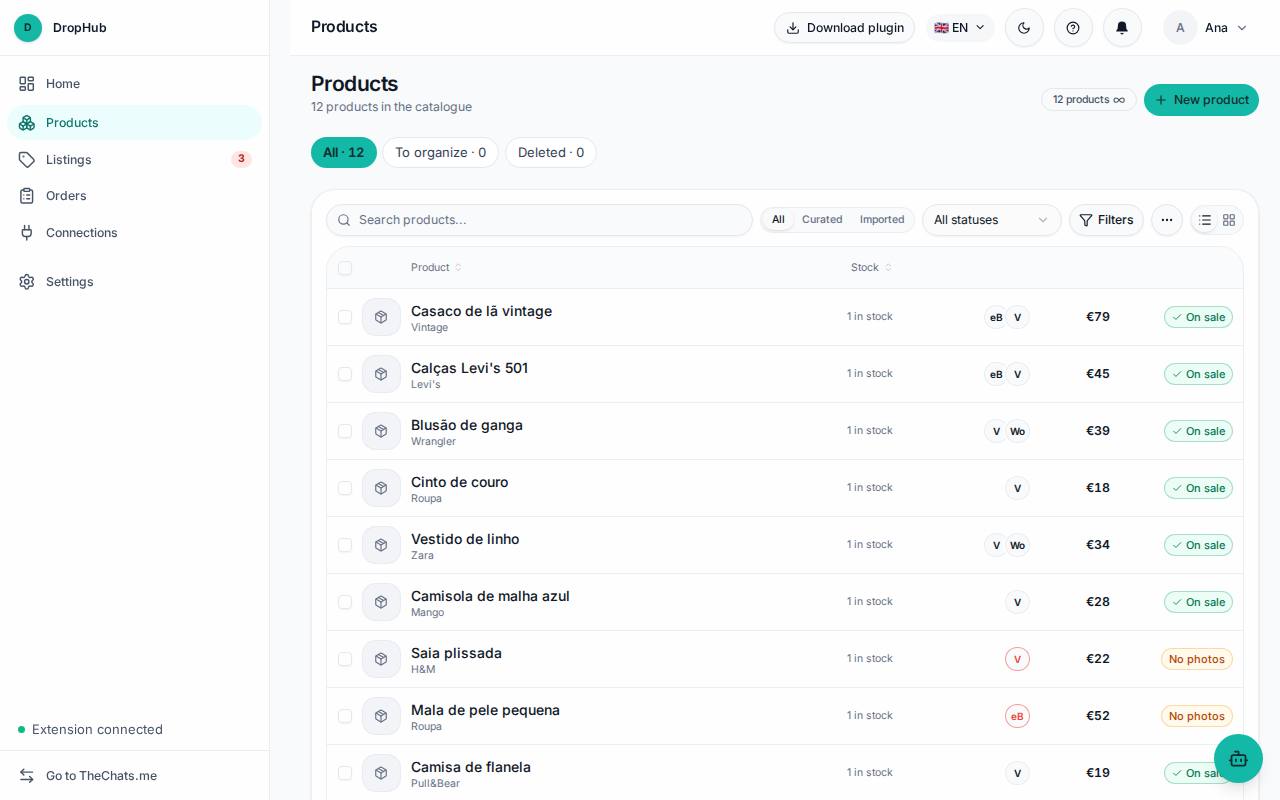
Products
- New product: creates a product by hand. You can also import from a channel that is already connected.
- Filter by origin (created here or imported), by text and by status.
- Click a product to edit photos, description, variants and stock. Changes you make here are the ones that go out to the channels.
Send to channels
- Select the products in the list (the selection can span several pages).
- Click Send to channels.
- Choose the stores you want to send to and confirm.
Only the products you chose are sent. The same bar has Change category and Change price for several products at once, and More actions lets you edit SKUs and export CSV.
Mirakl (Worten and others): only new products with a barcode (EAN) are sent, because the marketplace matches the offer to a product it already has in its catalog. Fill in the EAN on the product variant.
Listings
In Listings you see where each product is published: Error, Drafts, Active and Sold. Each error says what is missing; fix it right there and click Fix and publish.
Orders
Orders receives the orders from all channels: To ship, Shipped, All and Returns.
- Click an order to see the items, address and shipping.
- Type the tracking number and choose the carrier.
- Click Mark as shipped: the marketplace notifies the buyer.
If the item is still for sale on another site, a warning appears: take it down from that site and click I took it down, so you do not sell the same piece twice.