
The cart is full, the card is out, and the customer stalls on a simple question: “does this delivery time apply to my area?”, “can I return it if it doesn’t fit?”. If the answer doesn’t arrive in seconds, they close the tab and go compare prices somewhere else. Price didn’t lose that sale — an unanswered question did.
The questions that come up right before checkout
Across most online stores, the same small set of doubts keeps repeating:
- Delivery time and cost for the customer’s address
- Whether a specific variation (size, color) is in stock
- Which payment methods are accepted, and installment options
- How returns and exchanges work
- Whether there’s a warranty, and for how long
None of these questions are complicated. The problem is that if the answer is buried in an FAQ page the customer never finds, or only arrives by email hours later, the buying decision has already cooled off.
Why a contact form loses the sale
A “contact us” form asks for name, email, subject, message — and the reply only lands the next day. For a two-second doubt right before finishing checkout, that’s far too long. A customer with their card already out isn’t willing to wait on an email reply; they want the answer right there, without leaving the product page.
That’s why live chat converts better than a form for this kind of question: it’s asked and answered in the exact place where the buying decision is happening, without the customer losing their train of thought.
Building the knowledge base for these questions
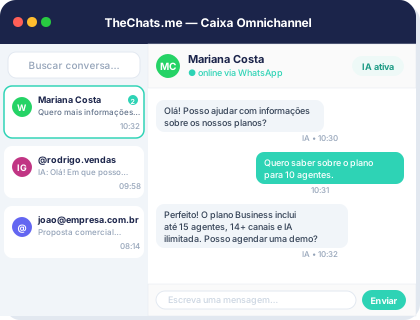
Pre-purchase questions are repetitive — and that’s exactly the pattern TheChats.me’s AI knowledge base is built to cover. Instead of an agent typing the same shipping-time answer ten times a day, the AI answers on its own from what’s been set up: shipping policy, size chart, payment methods, return rules.
The difference between losing and closing the sale, on these questions, is almost never the content of the answer — it’s how long it takes to arrive.
It helps to organize the knowledge base by topic (shipping, payment, returns, warranty) and keep the data current whenever shipping times or policies change, especially around peak sales periods. The step-by-step for setting up the assistant and feeding that knowledge base is in the help center, under setting up the AI assistant.
When the AI needs to bring in a human
Not every question is standard. When a customer asks something outside what’s in the knowledge base — a specific return case, a shipping negotiation, a complaint about a previous order — TheChats.me’s AI recognizes it doesn’t have the answer and hands the conversation to an agent (kb:escalate), instead of looping the customer through generic replies. The team picks up with the full conversation history already visible, and can hand it back to the AI once the case is resolved.
That balance is what makes the chat work: the AI covers the volume of repeated questions, and a person steps in exactly where it matters.
Putting it on the store’s site
If the store doesn’t have a site chat yet, the first step is installing the widget — the full guide is at install the website chat. Once the knowledge base is built and the AI is turned on, questions about shipping, stock, payment and returns get answered the moment they stall a purchase, not hours later.
Start for free and build your store’s knowledge base: create a free account, no credit card required, and check pricing as your operation grows.