
WhatsApp customer service SLA template
Create a WhatsApp customer service SLA template to improve response times and customer satisfaction. Learn how to set up and configure your SLA with our step-by-step guide.
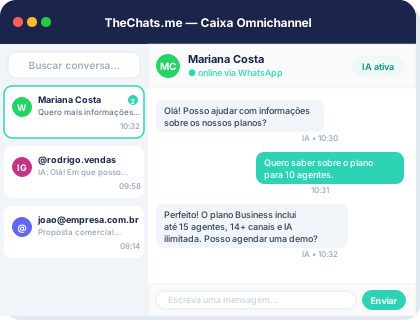
Product interface: a unified inbox to organize conversations and owners.
Introduction to WhatsApp Customer Service SLA
A Service Level Agreement (SLA) is a crucial component of any customer service strategy, including those that utilize WhatsApp as a primary communication channel. An SLA template for WhatsApp customer service helps businesses establish clear expectations and guidelines for responding to customer inquiries, ensuring that all interactions are handled efficiently and effectively.
Why Implement a WhatsApp SLA Template?
Implementing a WhatsApp SLA template offers several benefits, including:
- Improved response times: By setting clear response time goals, businesses can ensure that customer inquiries are addressed promptly, reducing wait times and improving overall customer satisfaction.
- Enhanced customer experience: An SLA template helps businesses provide consistent and reliable service, which is essential for building trust and loyalty with customers.
- Increased efficiency: By establishing clear guidelines and protocols, businesses can streamline their customer service operations, reducing the risk of errors and improving overall productivity.
Step-by-Step Guide to Creating a WhatsApp SLA Template
Creating a WhatsApp SLA template involves several key steps, including:
1. Define Your Service Level Objectives
Identify your service level objectives, such as response time, resolution rate, and customer satisfaction targets. These objectives should be specific, measurable, achievable, relevant, and time-bound (SMART).
2. Determine Your Service Hours
Establish your service hours, including the days and times when your customer service team is available to respond to inquiries.
3. Set Up Your WhatsApp Business Account
Set up your WhatsApp Business account and configure your business profile, including your business name, description, and contact information.
4. Configure Your SLA Settings
Configure your SLA settings, including your response time goals, resolution rate targets, and customer satisfaction objectives. You can use tools like TheChats.me to help you set up and manage your SLA settings.
Example SLA Configuration
Here's an example of how you might configure your SLA settings:
- Response time goal: Respond to 90% of customer inquiries within 2 hours
- Resolution rate target:! Resolve 80% of customer inquiries on the first contact
- Customer satisfaction objective: Achieve an average customer satisfaction rating of 4.5/5
Checklist for Implementing a WhatsApp SLA Template
Use the following checklist to ensure that you've implemented your WhatsApp SLA template effectively:
- Define your service level objectives
- Determine your service hours
- Set up your WhatsApp Business account
- Configure your SLA settings
- Train your customer service team on your SLA template
- Monitor and evaluate your SLA performance regularly
Frequently Asked Questions
Here are some frequently asked questions about implementing a WhatsApp SLA template:
- Q: What is a WhatsApp SLA template? A: A WhatsApp SLA template is a document that outlines your service level objectives, service hours, and SLA settings for your WhatsApp customer service operations.
- Q: Why do I need a WhatsApp SLA template? A: A WhatsApp SLA template helps you establish clear expectations and guidelines for responding to customer inquiries, ensuring that all interactions are handled efficiently and effectively.
- Q: How do I configure my SLA settings? A: You can configure your SLA settings using tools like TheChats.me, which provides a range of features and functionalities to help you set up and manage your SLA settings.
Limitations and Considerations
When implementing a WhatsApp SLA template, there are several limitations and considerations to keep in mind, including:
- Limited customization options: Depending on the tool or platform you use to set up your SLA template, you may have limited customization options.
- Integration requirements: You may need to integrate your SLA template with other tools or systems, such as your customer relationship management (CRM) system.
Next Steps
Once you've implemented your WhatsApp SLA template, you can take several next steps to optimize your customer service operations, including:
- Monitoring and evaluating your SLA performance regularly
- Adjusting your SLA settings as needed
- Training your customer service team on your SLA template
- Exploring additional tools and features to enhance your customer service operations To learn more about how TheChats.me can help you set up and manage your WhatsApp SLA template, visit our website today.