
Follow-Up Playbook: Stalled Chats Back Into Pipeline
Learn how to build a sales follow-up playbook that recovers stalled conversations using queues, tags, and SLAs instead of spreadsheets and manual reminders.
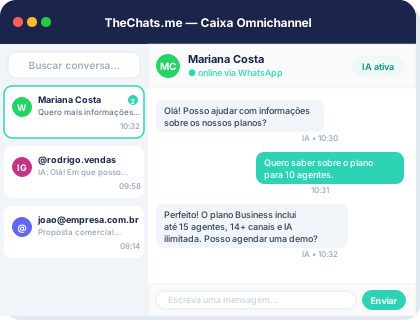
Every sales team has that list of conversations that are “still going to reply.” The lead showed interest, exchanged a few messages, received a proposal — then silence. Without a clear follow-up process, those conversations get buried under other priorities, and pipeline shrinks not because leads said no, but because nobody went back to talk to them.
Why follow-up needs a process, not memory
Relying on a rep’s memory to know who needs a callback is the first point of failure. As the operation grows, or when an agent goes on vacation, stalled conversations stay stalled for good — not because the team doesn’t care, but because there’s no single place showing who’s waiting for a reply and for how long.
A single organized queue, with owners, tags, and statuses defined for every conversation, solves this at the root. Instead of relying on a notebook or an extra spreadsheet tab, every stalled conversation shows up where the team already works — the same inbox that receives WhatsApp, Instagram, email, and webchat messages.
The three layers of a follow-up playbook
An effective follow-up playbook combines three elements that, together, take lead recovery out of individual memory:
- Status tags: marking a conversation as “waiting on client,” “proposal sent,” or “no reply for X days” makes it visible to anyone on the team what needs action — not just whoever handled the conversation originally.
- SLA tracked in real time: setting maximum response times per stage (for example, three days after sending a proposal) turns “I should have replied” into an alert that fires before the deadline passes.
- A clear owner per conversation: every stalled lead has one owner, even when more than one team member has already interacted with it, avoiding the “I thought you were going to answer” gap.
These three layers work together inside the sales queue: the tag shows the state, the SLA shows the deadline, and the owner shows who acts.
AI helping prioritize who to follow up with first
With dozens or hundreds of open conversations, deciding where to start the day’s follow-up becomes a prioritization problem. Automatic triage and lead qualification before human handoff helps identify which contacts have the highest closing potential, so the team concentrates manual follow-up where it’s most likely to pay off. Reply suggestions also speed up the restart: instead of rereading the whole conversation to recall context, the agent starts from a summary and a suggested reply aligned with the history.
This matters especially when the conversation happened across multiple channels — the lead started on Instagram, asked for more details by email, then went quiet. Without a unified history, rebuilding context before reaching back out eats time that could go straight into the follow-up message.
Turning a revived conversation into an owned ticket
When follow-up works and the lead re-engages, it’s worth converting that conversation into a sales ticket with SLA tracked in real time, instead of leaving it as a loose exchange of messages. That gives managers visibility into the volume and conversion of recovered follow-ups — metrics that feed into volume, conversion, SLA, and quality reports. The CRM — contact, company, and history — ensures that even if the lead gets handed off to another rep mid-process, the new owner sees the whole conversation, not just the funnel stage. To see how this fits into the broader sales process, check the sales page.
A lead who doesn’t reply isn’t a lost lead — it’s a lead who hasn’t gotten the right follow-up at the right time yet.
Conclusion
A follow-up playbook doesn’t depend on more disciplined reps — it depends on a process that makes visible who’s waiting for a reply, for how long, and who owns acting on it. An organized queue, status tags, SLAs, and AI-driven prioritization turn stalled conversations into active pipeline, instead of letting them get lost between channels and separate inboxes. To see how to set this up in your operation, schedule a demo or check out the available plans.