
Every store owner who turns on AI in the website chat hits the same question after a few days: is it actually answering well, or just making things up to avoid going quiet? The right answer isn’t “trust it” or “turn it off” — it’s understanding exactly what the AI knows how to answer, where that knowledge comes from, and what happens the moment a question falls outside it.
Where the AI’s answers actually come from
The chat’s AI doesn’t learn by itself from past conversations: it answers from the knowledge base the store fills in on the dashboard. Delivery times, return policy, a product’s sizing, accepted payment methods — all of that has to be written there before the AI can use it. Without a filled-in knowledge base, there’s little or nothing for the AI to answer on its own, and the store ends up disappointed with a feature that was never really set up.
It’s worth separating the two sides of this work: what’s already built into the product — the AI-assisted structure, triage and reply suggestions — and what only the store knows, which is the content of the knowledge base itself. The platform brings the engine; the store owner brings the knowledge of their own business.
What the AI answers on its own, in practice
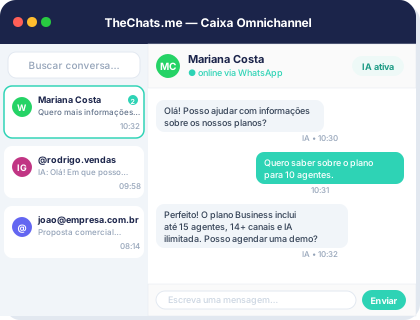
Recurring, factual questions are the AI’s natural territory: “do you still have this model in blue?”, “what’s the delivery time to [city]?”, “how many days do I have to return something unworn?”. If the answer is in the knowledge base, the AI replies instantly, without the customer waiting for an agent to become free — and that alone is often enough to stop someone from abandoning a purchase mid-conversation.
The AI also collects contact details during the conversation, which helps the team understand who’s asking before a human even joins in. And once it’s turned on for the Meta channels, it answers the same way on WhatsApp, Instagram and Facebook Messenger, using the same knowledge base as the webchat — there’s no need to write the content twice.
A good knowledge base isn’t the longest one, it’s the one that most closely matches the questions customers actually ask — and the only way to find that out is by reading the conversations the AI couldn’t answer.
When the AI hands the conversation to a human
The mechanism that stops the AI from making up an answer is called escalation (kb:escalate): when a question falls outside what’s in the knowledge base, the AI passes the conversation to the human queue instead of risking an answer with no basis. That covers negotiation (“can you give me a discount on two?”), complaints, non-standard requests, or any question the knowledge base simply doesn’t cover yet.
That behavior is what separates a useful assistant from a generic chatbot: the AI doesn’t try to look like it knows everything. It handles the repetitive volume and hands the team exactly the cases that need human judgment — and the team can always take over a conversation and hand it back to the AI afterward, if that makes sense.
Keeping track of what the AI is answering
Turning the AI on and forgetting about it isn’t enough. AI audit logs let you search by contact and see the explanation behind each decision — which helps spot, for example, a frequent question that still isn’t in the knowledge base and is therefore landing in the human queue unnecessarily. That review cycle is what makes the knowledge base improve over time: every avoidable escalation today is one more line in tomorrow’s knowledge base.
Daily message statistics on the dashboard also help show whether the volume of conversations reaching the team is dropping as the knowledge base grows — a sign the AI is genuinely taking on more of the repetitive work.
Conclusion
AI in the store chat only works well when the knowledge base reflects the questions customers actually ask — the platform takes care of escalating everything outside that script. Start by reviewing your store’s most repeated questions and adding the answers to the knowledge base before expecting much from the AI. Create your free account and set up your knowledge base alongside your first channel, or check the pricing plans to see how many AI tickets per month fit your operation.